Android · manual stills camera

Just the viewfinder, and everything behind it.

A screen-filling preview with a rangefinder-style bright-line frame, so the frame never lies about what the picture will contain. Every control a photographer actually reaches for is one tap from the shutter — and nothing else is.

Free to download. RAW DNG and film looks included, not an unlock. Optional Pro for bracket, night, long exposure, focus stacking, interval and light trails. No watermark, no account — and no internet permission at all.

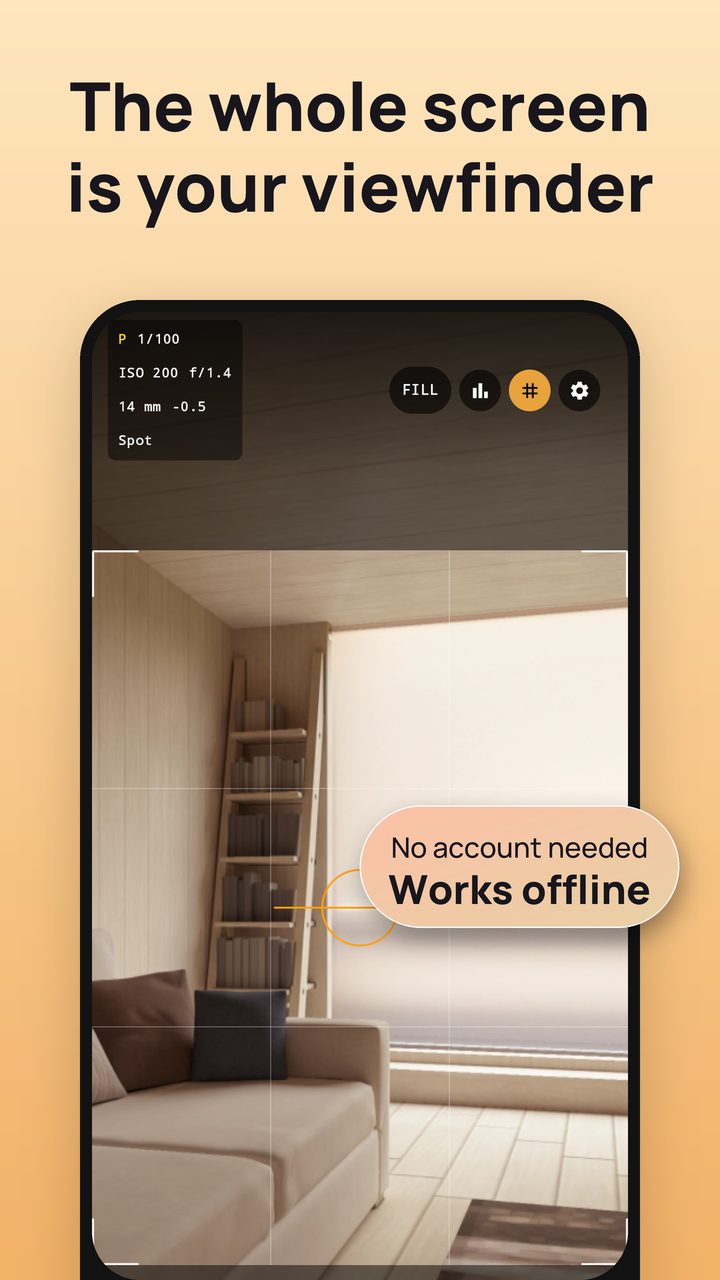
The Groundglass viewfinder filling the screen, with the exposure readout in the corner

The frame is the product.

Most camera apps show you a preview and crop something else. Groundglass draws the bright-line frame over a fullscreen preview and captures exactly what sits inside it.

01

Bright-line frame

Amber corners mark the picture. Everything inside them is in the file; everything outside is the part of the sensor you are seeing but not keeping.

02

FILL or FIT

FILL covers the screen for composing at arm's length. FIT shows the whole sensor frame when you need to see the edges. Either way the still is cropped from what you framed.

03

A readout, not a menu

ISO, shutter, exposure compensation, white balance and focus mode stay on screen the way they do on a DSLR's top plate. Collapse the controls entirely for a clean frame.

Through the viewfinder.

The same screens as the Google Play listing. Tap any of them to see it full size.

The whole screen is your viewfinder, with the exposure readout in the corner
The whole screen, framed.
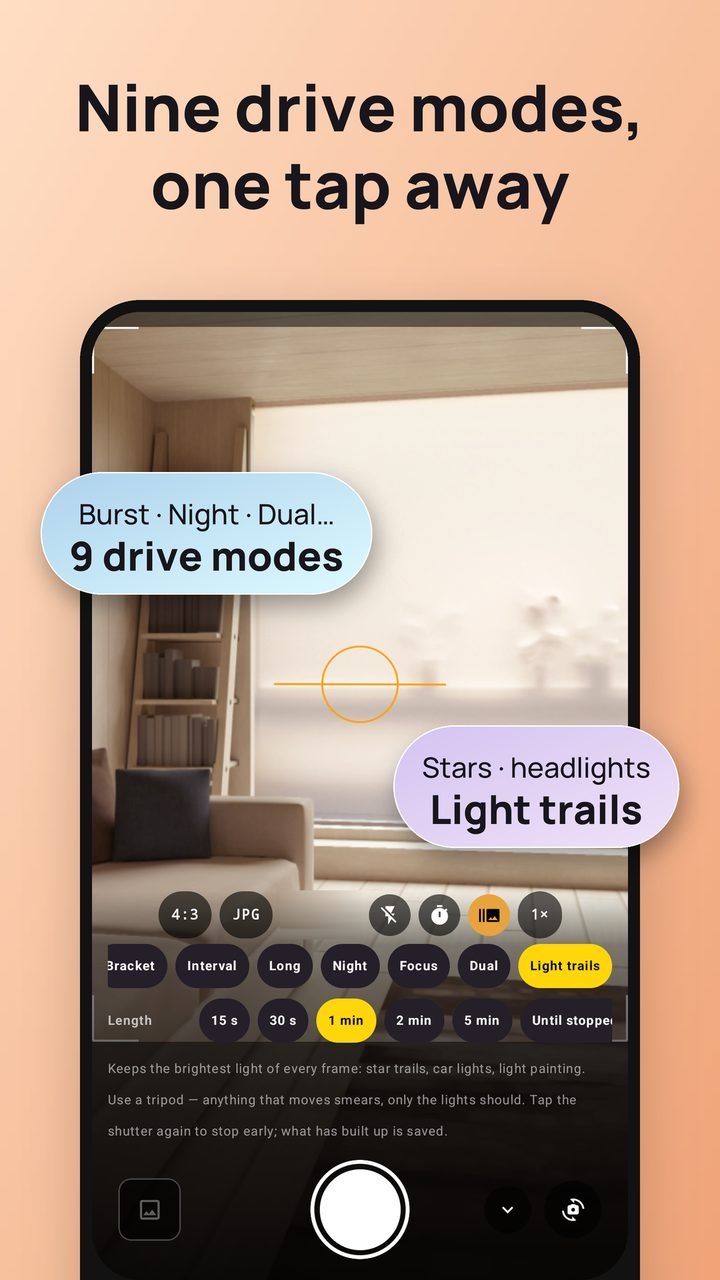
Drive mode panel with burst, night, dual and light-trail modes
Nine drive modes, one tap away.
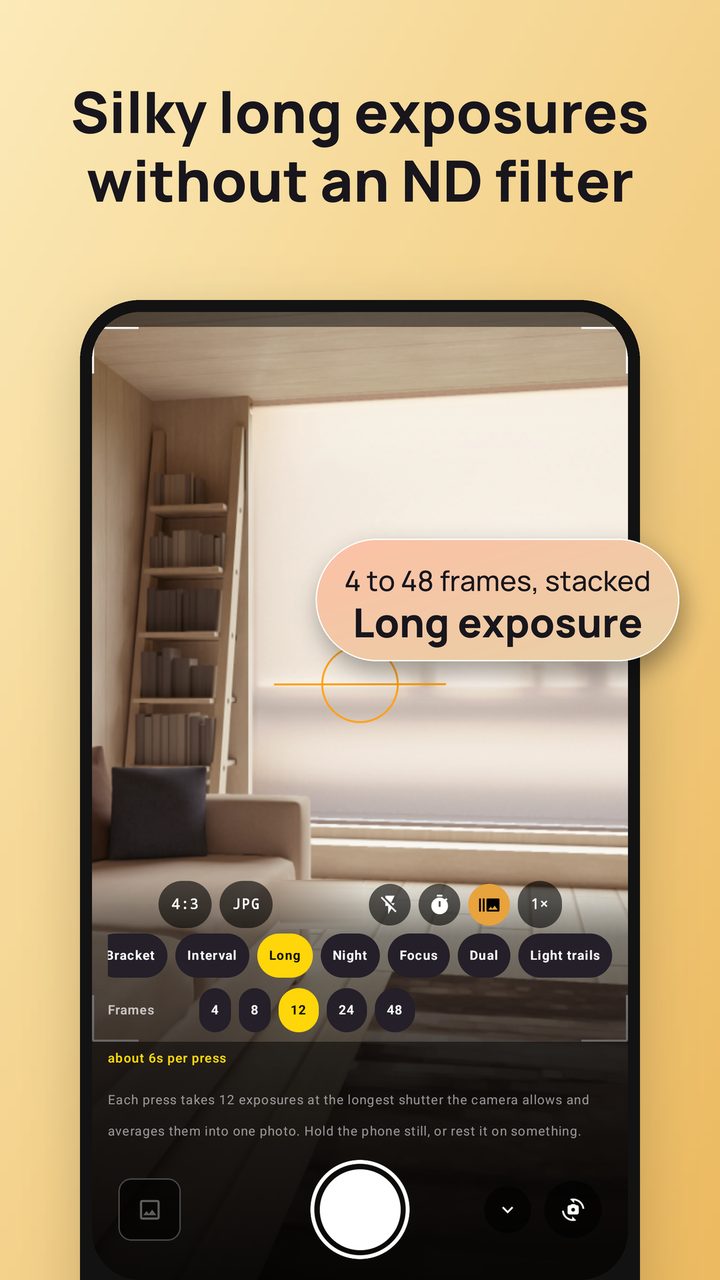
Long exposure mode stacking 4 to 48 frames
Long exposure without an ND filter. Pro
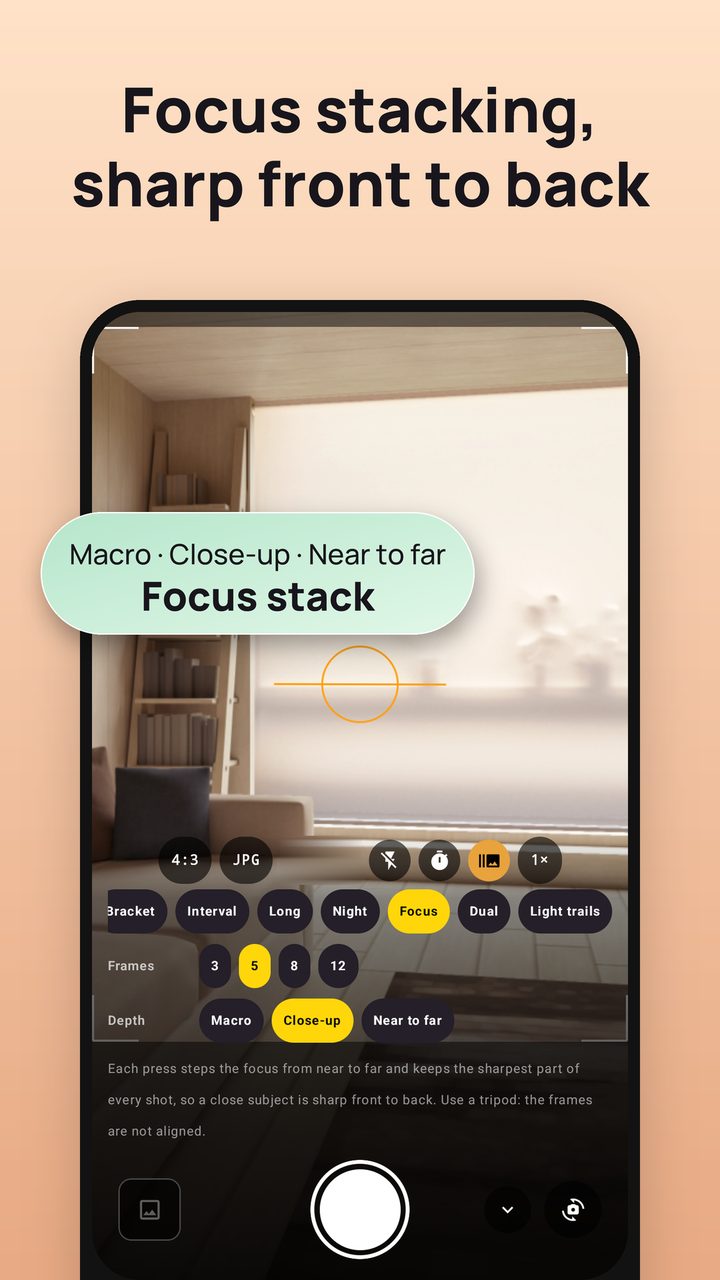
Focus stacking from near to far
Focus stacking, front to back. Pro
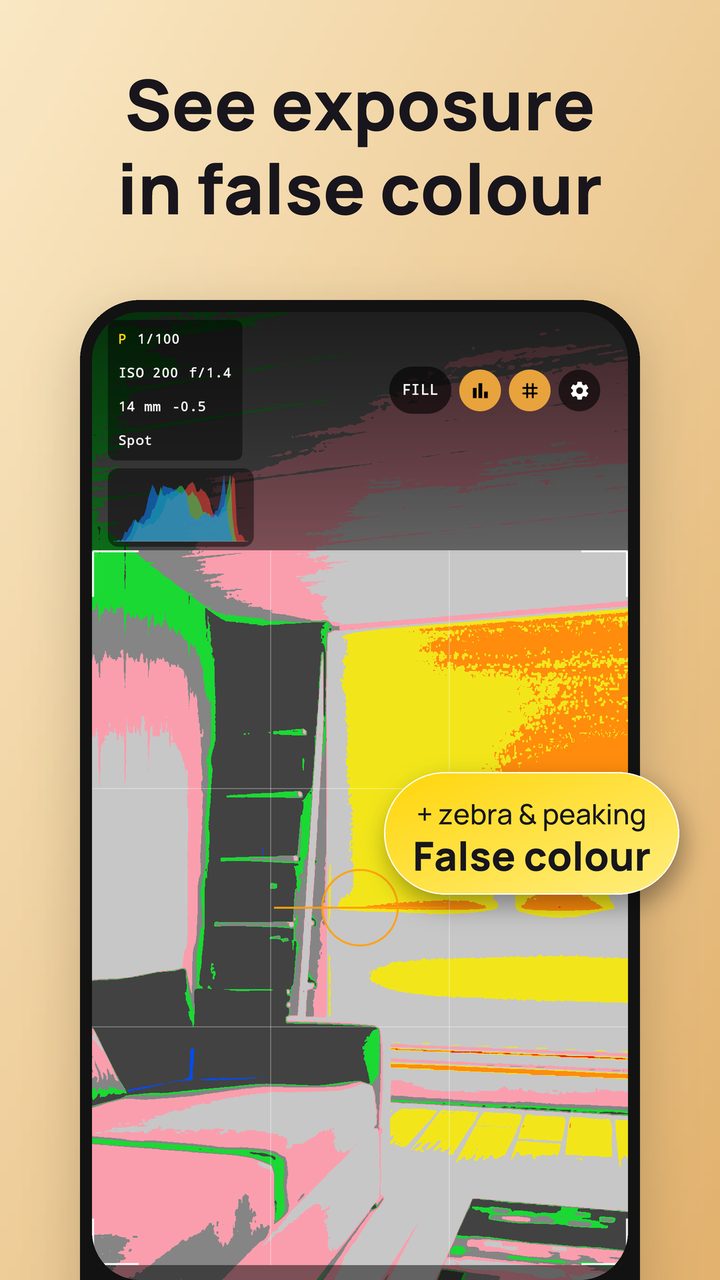
False colour exposure overlay with zebra and peaking
False colour, zebra and peaking.
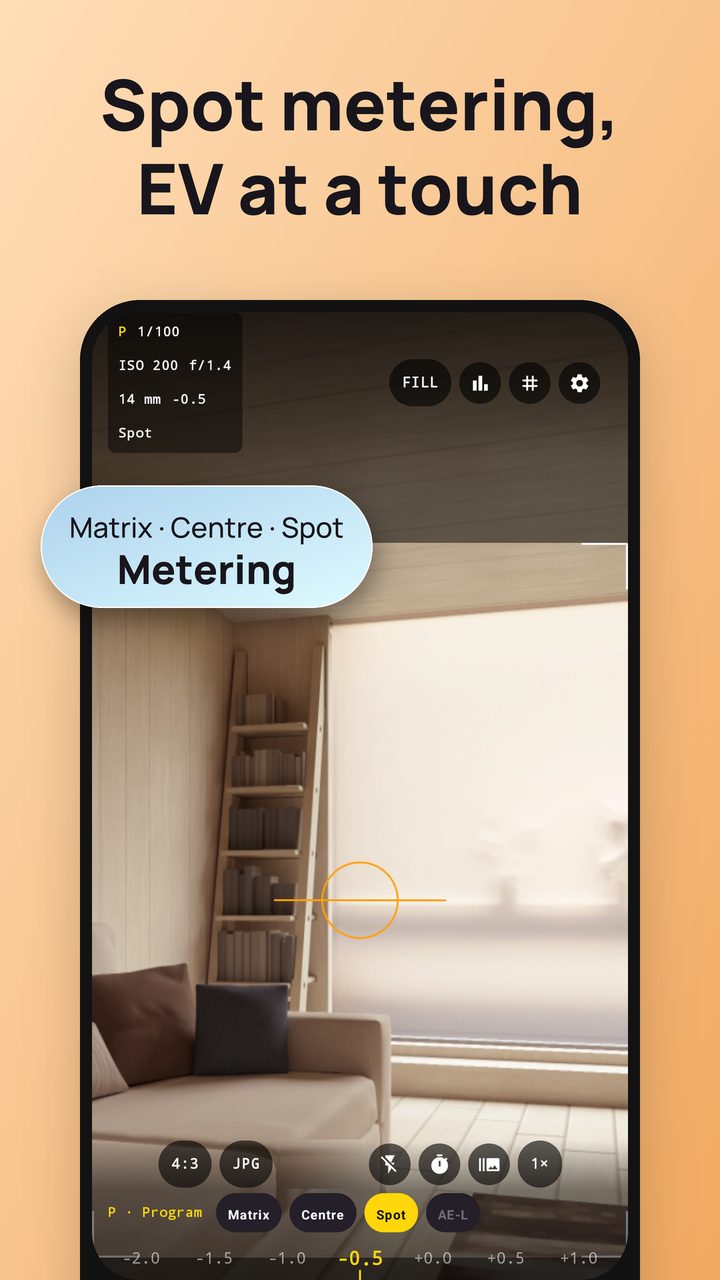
Matrix, centre-weighted and spot metering with EV compensation
Spot metering, EV at a touch.
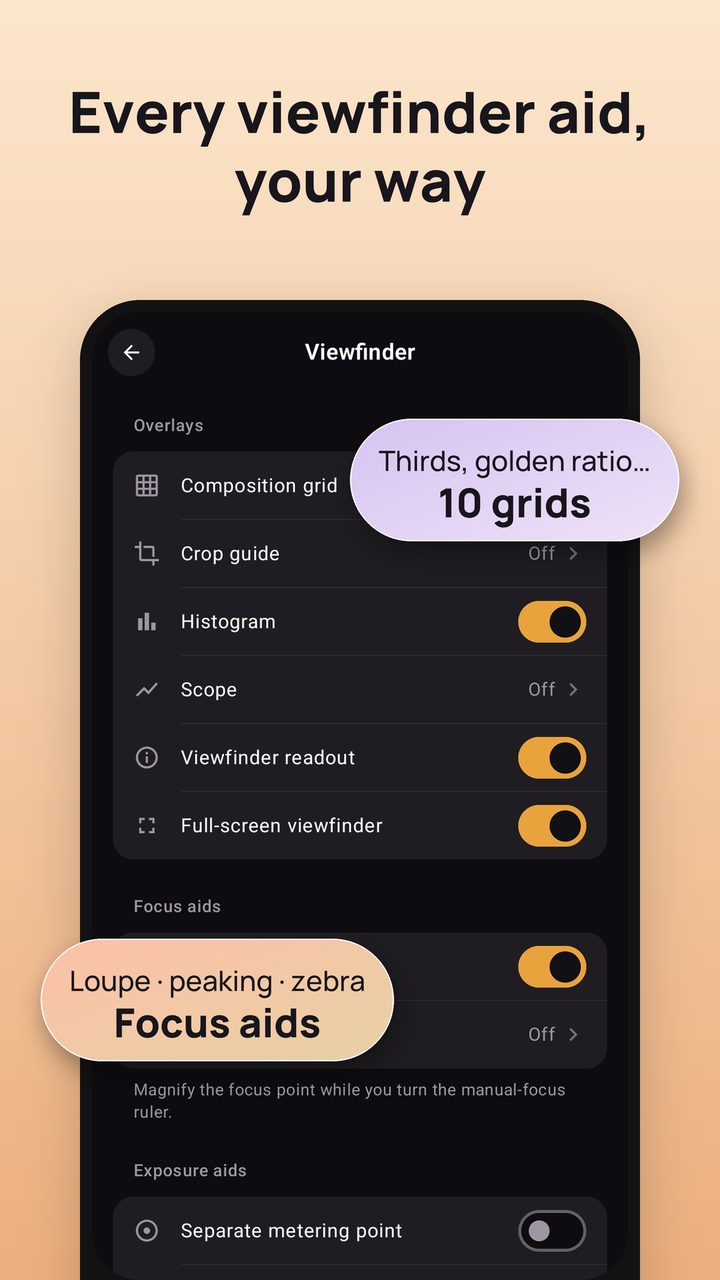
Viewfinder settings: composition grids, histogram, focus aids
Every viewfinder aid, your way.
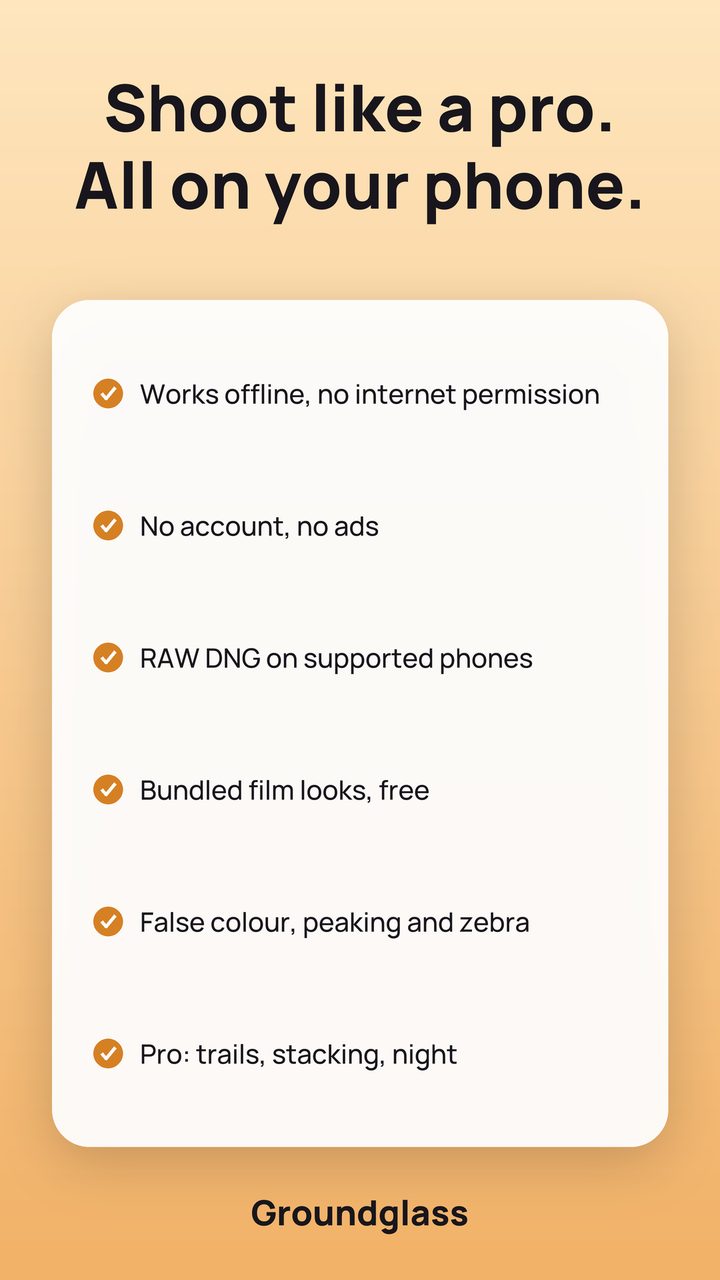
Summary: works offline, no account, RAW DNG, free film looks, Pro modes
Offline, no account, RAW DNG.

Set it by hand, or let the camera keep it.

You never pick an exposure mode from a list. Dial a value in and that control is yours; leave it alone and the camera holds it. The letter in the readout only tells you where you stand — P, S, I or M.

Exposure

  • ISO 25–12800 on a click-stop dial
  • Shutter 1/8000 s to 30 s
  • Exposure compensation in ⅓ stops
  • Spot, centre-weighted and matrix metering
  • AE, AWB and AF locks that stay put while you recompose

Colour and focus

  • Manual white balance, 2200 K to 9500 K
  • Eight presets for the light you know
  • Manual focus by distance
  • AF-C, AF-S, macro and infinity
  • Tap to focus, pinch to zoom, swipe for compensation

Composition aids

  • Live RGB histogram
  • Rule of thirds, golden ratio and other grids
  • Crop guides
  • Electronic level for horizons and architecture
  • Volume keys as shutter, compensation or zoom

RAW DNG, free

A DNG holds the sensor data before any processing — what you want if you intend to develop the picture yourself. It is included, not sold as an unlock. On a device that cannot produce one, the option hides itself instead of sitting there dead.

Drive modes

  • Single frame and burst
  • Exposure bracketing: 3, 5 or 7 frames, ⅓ to 3 stops (Pro)
  • Intervalometer by frame count or duration (Pro)
  • Self-timer, 3 or 10 seconds

Files and EXIF

  • JPG, PNG and HEIF, with quality you choose
  • Your own filename pattern and gallery folder
  • EXIF written from the capture request itself
  • Optional geotag, off by default

Ranges, plainly.

What your phone can actually do depends on its Camera2 support, which varies by manufacturer. Controls your camera cannot honour are hidden rather than shown as dead switches.

ISO25 – 12800, click-stop, device range permitting
Shutter speed1/8000 s – 30 s
Exposure compensation±, in ⅓ stops, across the device's own range
White balance2200 K – 9500 K manual, plus eight presets
FocusManual by distance; AF-C, AF-S, macro, infinity
FormatsJPG, PNG, HEIF, and RAW DNG where the sensor supports it
Android8.0 (API 26) and newer
PriceFree, no ads. Optional Pro through Google Play: $0.99 a month, $4.99 a year with a 7-day free trial, or $9.99 once

It cannot send your photos anywhere.

Not "we promise not to" — the shipped build declares no INTERNET permission, so there is no network for a photo to leave by.

No account

No sign-in, no email, no profile. Open the app and shoot.

No analytics, no ads

No usage tracking, no crash SDK, no ad SDK. The advertising ID permission is removed from the build.

Your files stay yours

Photos land in Pictures/Groundglass on your own storage. Uninstalling the app does not touch them.

Read the full privacy policy →

What Groundglass is not.

There are no effects, no beauty processing and no photo editor — just a strip of film looks you can leave on None. It takes the picture and hands it to you. If you want real colour grading, do it in the editor you already trust — that is a different job, and this app deliberately does not try to do it.

Fair questions.

Is RAW really free?

Yes. DNG capture is part of the app, not an unlock, and so are the film looks. The only paid part is the optional Groundglass Pro, which adds the bracket, night, long-exposure, focus-stacking, interval and light-trail modes. Whether your phone can produce a DNG is up to its camera hardware and firmware, not to us.

Why does ISO or shutter speed show as unavailable on my phone?

Manual sensor control is an optional Camera2 capability. Some devices — and most emulators — expose the camera without it, and no app can dial in ISO or shutter speed there. Groundglass hides those controls instead of showing switches that do nothing.

Where do my photos go?

Into Pictures/Groundglass in your device's own storage by default, registered with the media library so your Gallery sees them immediately. You can change the folder name and the filename pattern in settings.

Does it geotag my photos?

Only if you switch that on. It is off by default, and until you enable it the app never requests the location permission. When enabled, the coordinates are written into the EXIF of your own image files, on the device. Remember that the metadata travels with the file when you share it.

Is there an iPhone version?

No. Groundglass is Android only.

Who makes it?

FightTech VN, a small team in Vietnam. Write to trunghieu4121993@gmail.com — the address on the Play listing reaches the people who wrote the app.
Bring your own light.

Groundglass is finishing its first release on Google Play. Nothing to pre-order and nothing to sign up for — check back, or tell us what a manual camera app still gets wrong.